
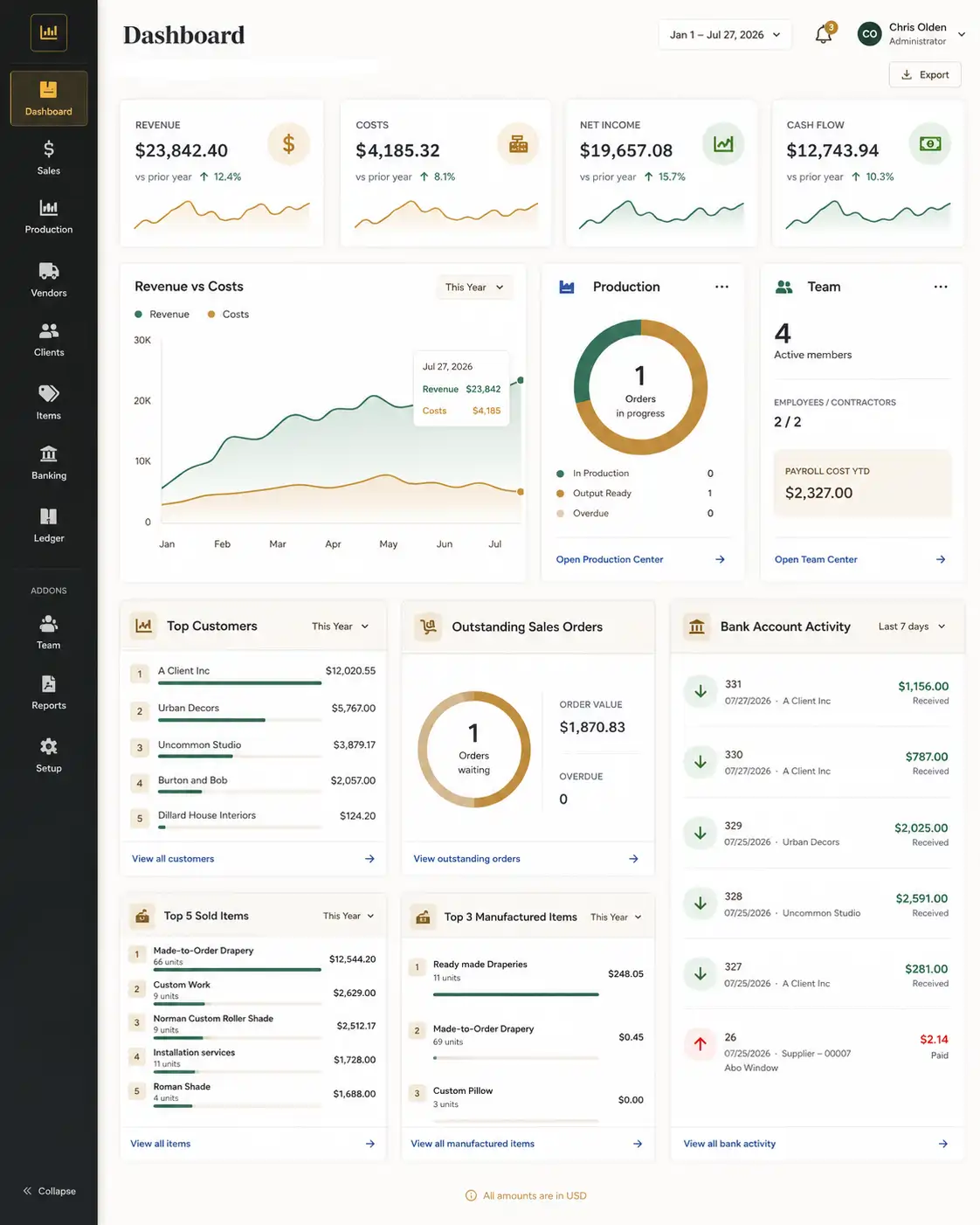
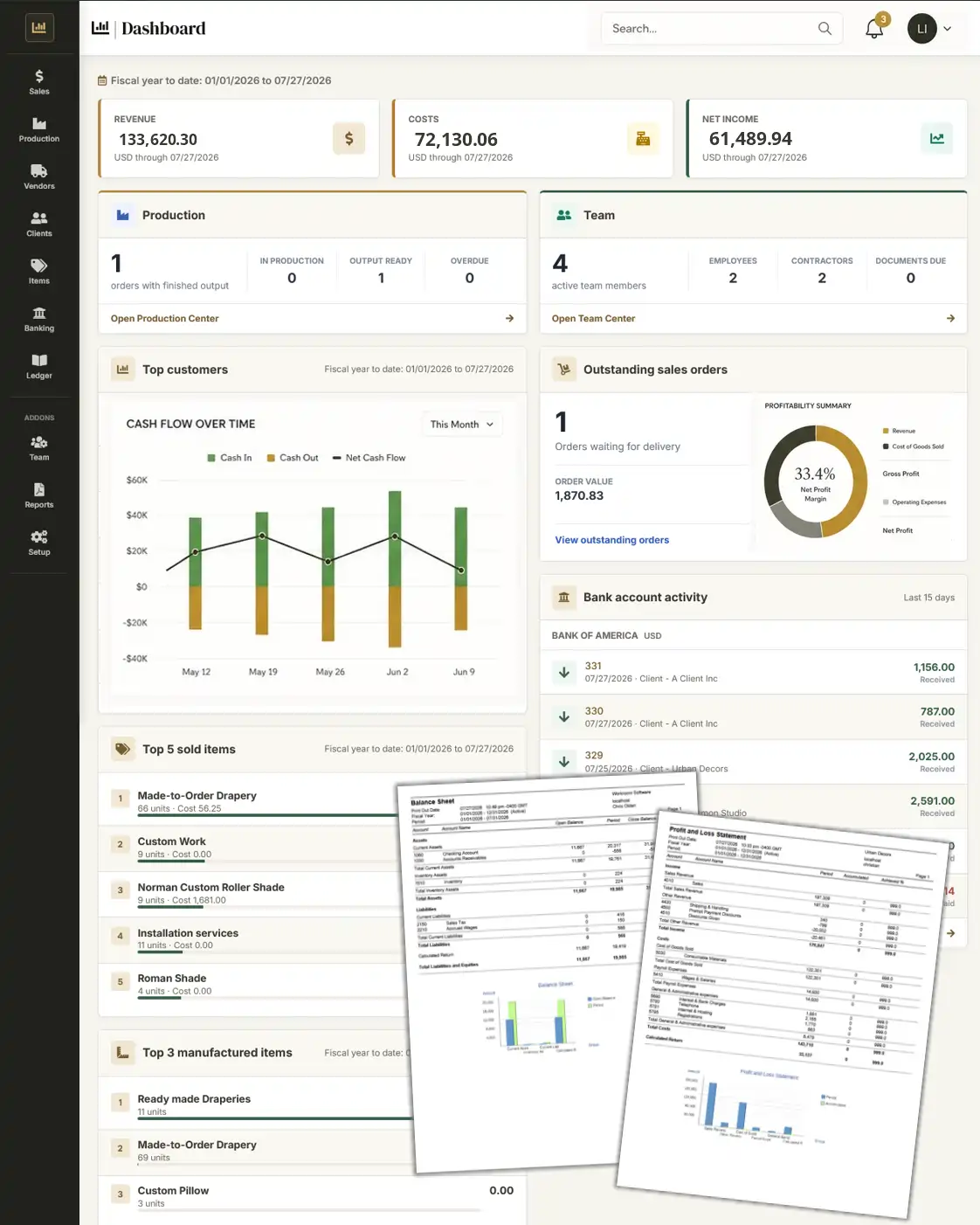
Dashboard overview
Quotes, orders, workroom activity, receivables and profitability at a glance.
Product tour
Tour the configured window treatment calculator first, then see how the generated item continues through the quote, sales order, workroom, purchasing, partial delivery, invoicing and profitability reporting.
Illustrative interface previews. Actual screens and available fields vary by company configuration.
The complete platform
The overview below shows how Ledgez presents the major operating areas of a window treatment company.
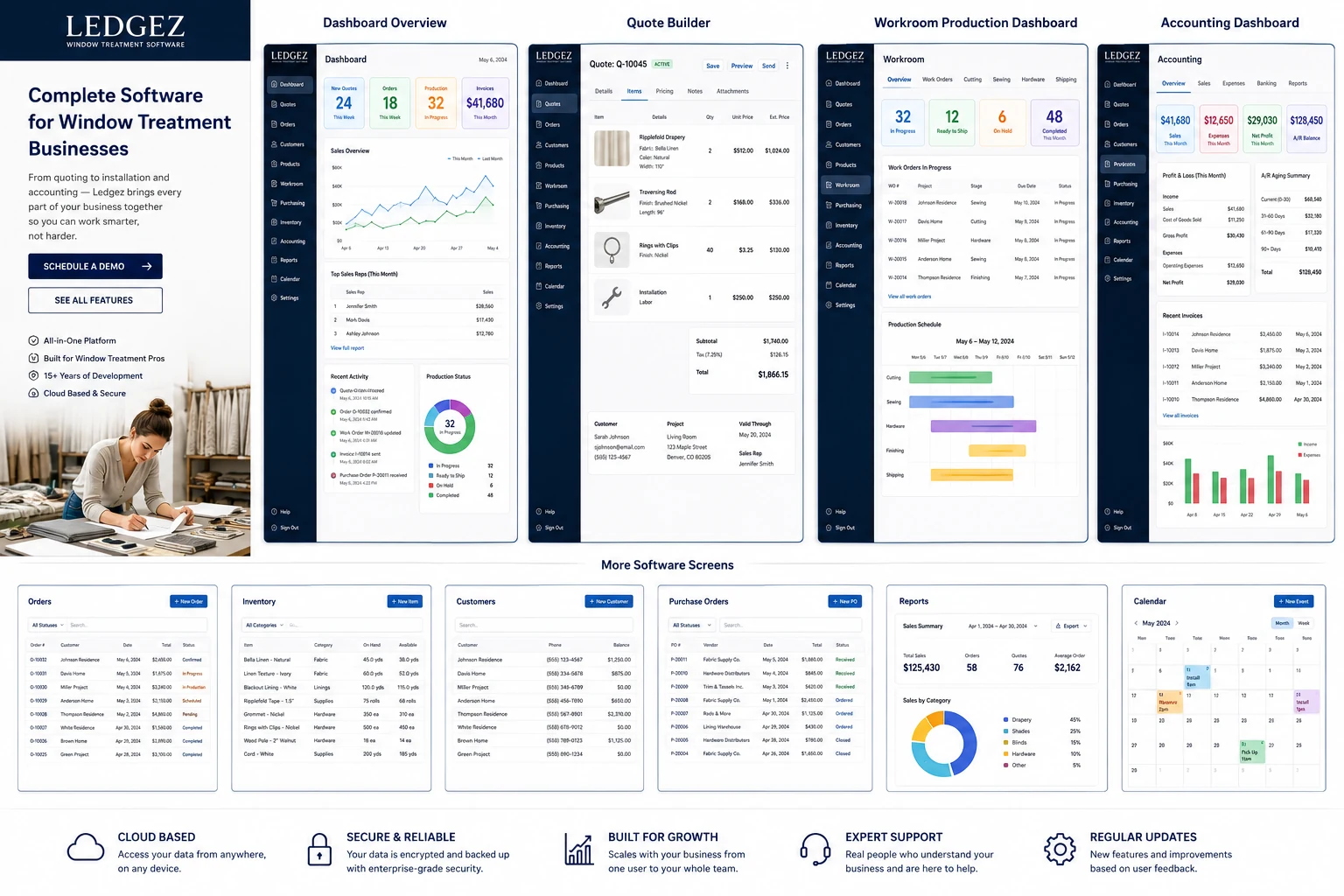
Swipe horizontally to inspect the full interface overview.
Core screens
The screen designs below are polished stand-ins for the configured production interface.
Quotes, orders, workroom activity, receivables and profitability at a glance.
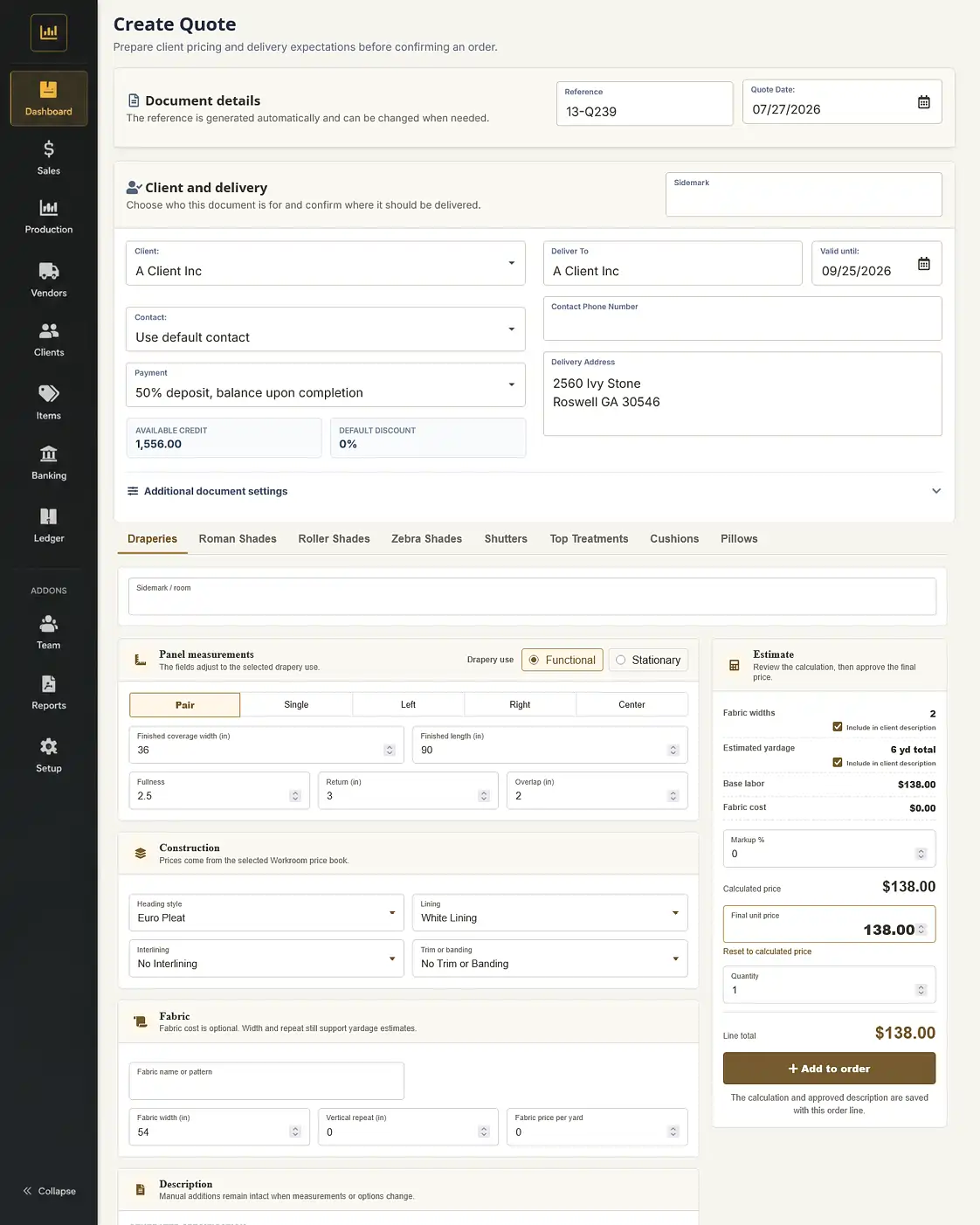
Select dimensions and configured options to generate price, yardage, wording and a complete quote item.
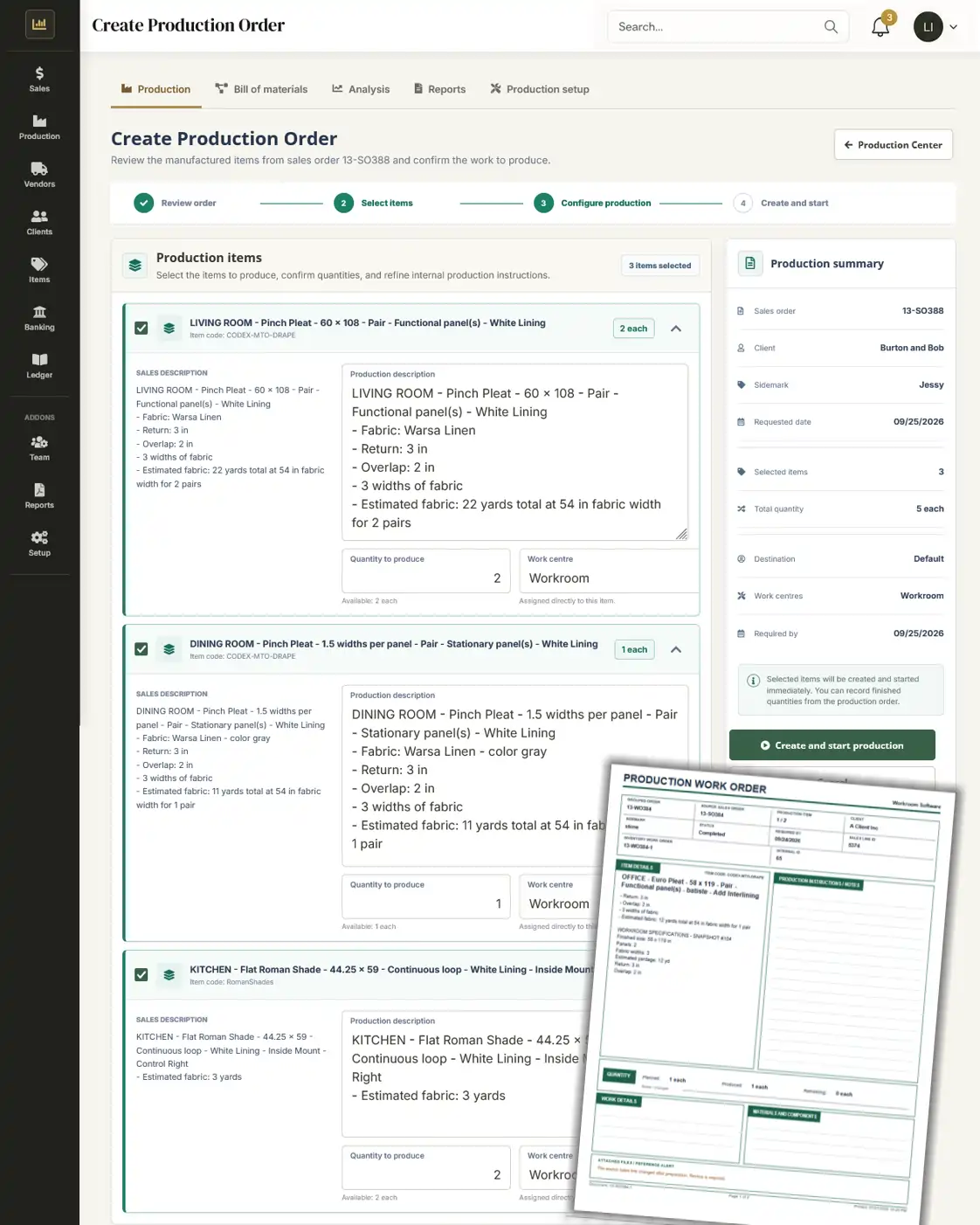
Job stages, production schedules, purchasing and material status.
Receivables, payables, cash flow, invoices, bills and profitability.
Focused views
These device frames demonstrate how product information can be focused for tablet and mobile-sized presentations. Final application behavior depends on the deployed interface.
Tablet-sized quote and configuration view
Focused dashboard preview
Supporting workflows
A complete operating system also needs the practical records that keep everyday work moving.
Track confirmed work, value, due dates and fulfillment status.
Review materials, categories, availability and cost information.
Maintain customer, project, contact and balance information.
Coordinate vendors, ordered materials, receiving and status.
Review sales, operational results and financial performance.
Organize due dates, appointments, deliveries and team activity.
See the configured system
Bring one representative quote, job or accounting workflow and see how it could move through Ledgez.